
If you travel often, or just want to make your daily routine a bit easier, the Petbank automatic fish feeder is super practical to feed your fish. The setup looks complicated at first, but it is much simpler than it seems. In this guide, I walk you through every setting step by step, just like in the user manual, but easier to follow.
Prefer to watch? The full unboxing and setup is in the video below on my YouTube channel.
What's in the box
- The automatic fish feeder, basically ready to use
- A small plastic spoon for adding fish food
- A USB-C charging cable
Important: there is no charging plug in the box. You need your own USB-C power adapter. The battery level is quite low on arrival, so if you are about to leave for a vacation without a plug at hand, you can't use the feeder!
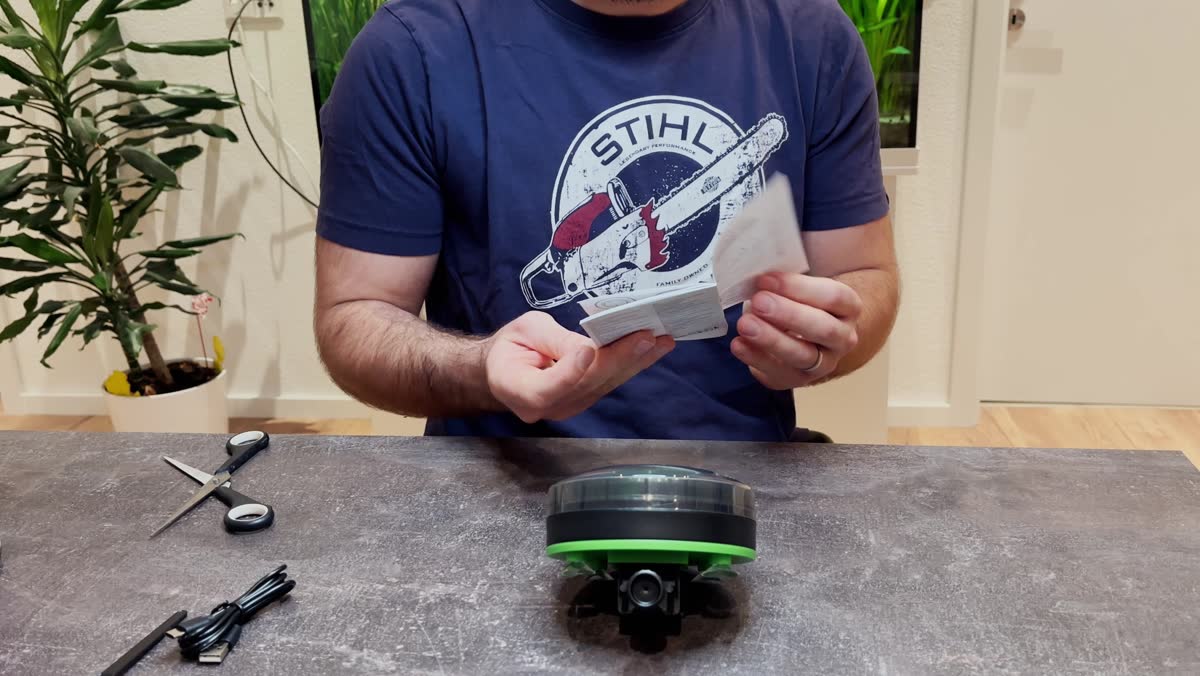
Unboxing the Petbank feeder: feeder, spoon and USB-C cable. A power plug is not included.
Step 1: Power it on
Long-press the power button for about three seconds. The display lights up when the feeder is on and turns off when you power it down.
Step 2: Set the clock
- Long-press the setting button for three seconds. The hour starts flashing.
- Use the up and down arrows to set the hour.
- Press the setting button again and set the minutes the same way.
To continue directly into the feeding schedule, press the setting button once more. Pressing the manual button saves and exits. If this is too technical, feel free to watch the video i pinned below, its actually quite simple.
Step 3: Set up to three feeding times
Press the setting button again and the hour for timer 1 starts flashing. Use the arrows to choose the hour, press setting, then choose the minutes. For a feeding at 7:06 am, you set 7 and then 06. The feeder automatically leads you through all three timers.
Step 4: Choose the feeding amount
After each feeding time, press setting and a small square starts flashing. It defines how many feeding rounds the feeder does at that time:
- One spot: one feeding round
- Two spots: two rounds
- Three spots: three rounds
- No spot: this timer is disabled
If you only want to feed once or twice a day, simply disable the timers you don't need. Press the manual button to save everything and exit.
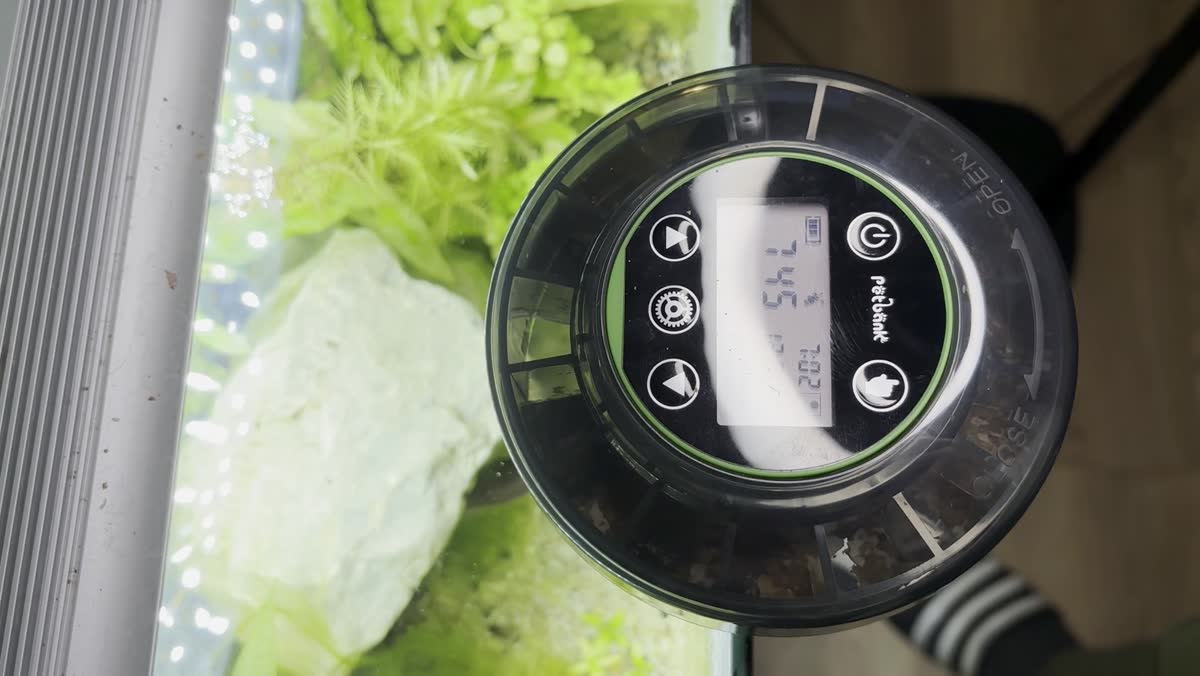
The display and buttons from above. Each timer gets its own time and number of feeding rounds.
Step 5: Set the feeding interval
This is a clever feature. Press the up and down arrows at the same time, and a number from 1 to 4 appears. It controls on which days the feeder runs. With 1, it feeds every other day, for example Monday, Wednesday and Friday. With 2, it skips two days. If no number appears, the feeder feeds every day, which is the default setting.
This is handy for fish that don't need daily feeding, or for longer vacations, since the drum only holds a certain amount of food.
Step 6: Manual feeding and two time-saving shortcuts
- Manual feeding: press the manual button and the feeder does one round on the spot, without you touching the food.
- Shortcut 1 – standard setting: long-press the up arrow for five seconds. The feeder now feeds at 8:00 am and 8:00 pm. Perfect if your aquarium lights run from 8 to 8 and you don't want to think about anything.
- Shortcut 2 – factory reset: long-press the down arrow for five seconds to reset everything.
Step 7: Mount it on your tank
The Petbank feeder works really well on open-top aquariums. Place it on the glass edge and tighten the adjusting screw until it is firmly secured. It won't slip, and you can position it exactly where you want the food to drop. It also works on small tanks with thinner glass, like my shrimp tank.
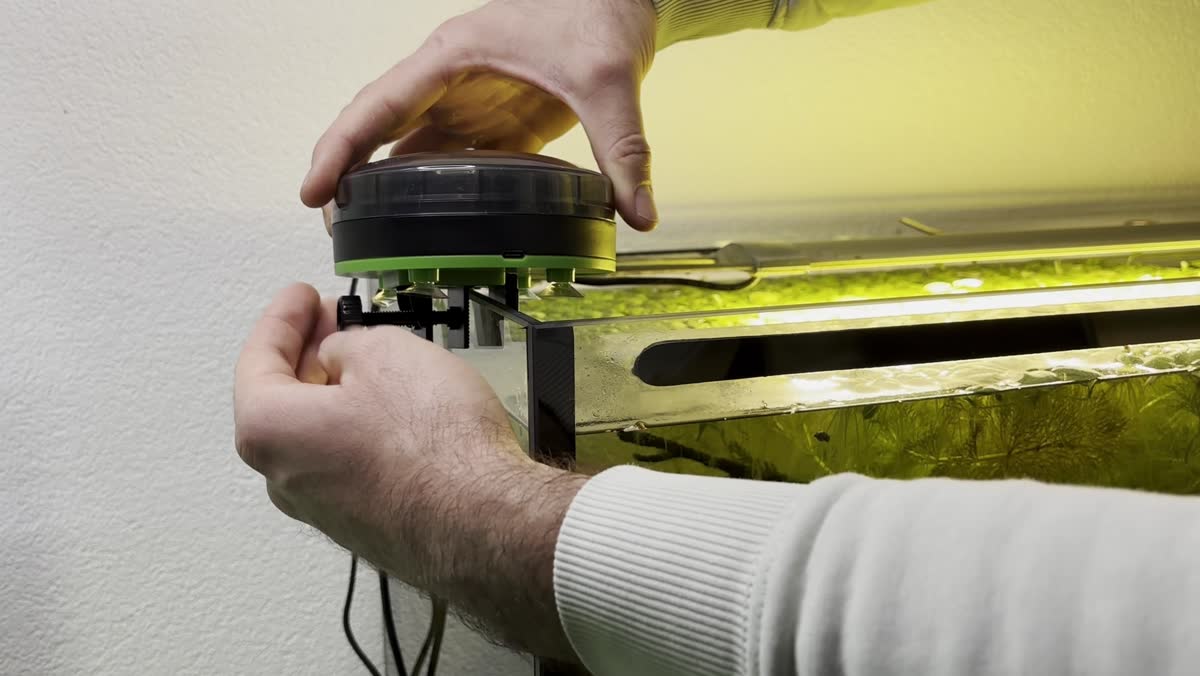
Clamp it on the glass edge and tighten the adjusting screw. It also holds on thinner glass.
When it runs, the little lid opens, the drum rotates and the food drops right where it needs to be. My Apistogramma and platies absolutely love it 😊
Before your vacation
Plug the feeder into the charger for at least two to three hours before you leave, so you don't have to worry about the battery running low. I just plug it in the whole day before, probably a bit too much, but i'd rather be safe than sorry when it comes to my fish.
My setup checklist
- Own USB-C power adapter ready, battery charged
- Clock set
- Timers set, unused timers disabled (no spot)
- Feeding rounds chosen for each timer
- Interval checked (no number = daily)
- Feeder clamped tightly on the glass edge, over open water
FAQ
Is a charger included with the Petbank feeder?
No. Only a USB-C cable is included, so you need your own USB-C power adapter.
How do I set the Petbank feeder to feed twice a day?
The quickest way: long-press the up arrow for five seconds for feedings at 8:00 am and 8:00 pm. Or set two timers manually and disable the third with no spot.
How do I reset the Petbank feeder?
Long-press the down arrow for five seconds to restore the factory settings.
Does the petbank fish feeder work on tanks with a lid?
It is designed to clamp onto the glass edge, so it works best on open-top aquariums.
Watch the full video
See every setting and the feeder in action on my South America tank: Petbank Fish Feeder: How To Use & Set Up.
Have a JUWEL tank? Read my guides to the JUWEL EasyFeed and the JUWEL SmartFeed 2.0.